Your PACS contract renewal is approaching, and the imaging volumes keep climbing. Many platforms still charge per study or per seat, which turns growth into a budget problem. Others struggle with multi-site image sharing or fall short on DICOM and AI integration.
This guide breaks down nine PACS systems for 2026, starting with the criteria that matter most: cloud architecture, interoperability, compliance, AI workflows, and pricing transparency. By the end, you will know how each option compares and which one fits your organization, with a clear top pick to anchor your shortlist.
What to Look For in PACS Systems in 2026
Selecting a PACS in 2026 requires balancing modern cloud architecture, interoperability standards, AI readiness, and cost predictability to support evolving clinical and operational demands. The market has shifted decisively away from single-server, on-premise deployments toward cloud and hybrid models that flex with imaging volumes and support remote reading.
Two capabilities that were once differentiators are now baseline expectations. Regulatory compliance and embedded AI appear on nearly every vendor roadmap, so buyers should treat them as starting criteria rather than bonus features.
The subsections below break these requirements into concrete questions to bring to demos and contract negotiations.
Cloud Architecture, Interoperability, and Compliance
A future-proof PACS in 2026 should offer flexible cloud or hybrid deployment, native DICOM and HL7/FHIR support, and out-of-the-box compliance with regulations like HIPAA and GDPR. Cloud-native architecture matters because it scales image storage and compute without new hardware, and it lets radiologists read from any location through a web-based viewer.
Hybrid PACS remains relevant for organizations with legacy systems or strict data locality rules. In that model, a vendor-neutral archive (VNA) anchors long-term storage while a cloud layer handles retrieval, viewing, and teleradiology workflows.
Interoperability deserves close scrutiny during evaluation. Each standard plays a distinct role:
- DICOM governs image exchange between modalities such as CT, MRI, X-ray, ultrasound, mammography, PET, and nuclear medicine systems
- HL7 carries orders, results, and patient demographics between the PACS and the RIS or EHR
- FHIR enables modern API-based integration for apps, portals, and third-party tools
Compliance is not optional. In the US, HIPAA governs protected health information handling. In the EU, GDPR sets strict rules on data residency and patient rights. Verify FDA clearance or CE marking where applicable, and confirm the vendor's security posture through certifications such as SOC 2 or ISO 27001.
Come to vendor conversations with specific questions about data residency, encryption at rest and in transit, audit trail granularity, and breach notification procedures. Ask where backups live, who can access them, and how long logs are retained.
AI Workflows, Pricing Transparency, and Scalability
In 2026, PACS buyers should prioritize native AI integration for triage and quantification, transparent pricing without hidden fees, and elastic scalability to handle growing data volumes. Machine learning and deep learning tools are most useful when they sit inside the reading workflow rather than in a separate application.
Look for radiology AI that supports detection, worklist prioritization, and structured reporting. Confirm each algorithm carries FDA clearance or CE marking for its stated indication, and ask how results appear in the diagnostic viewer, whether through overlays, hanging protocol triggers, or report templates.
Pricing models vary widely and deserve careful comparison. Common structures include:
- Subscription pricing tied to users, studies, or storage volume
- Perpetual licenses with separate maintenance and support fees
- Tiered storage with different costs for active, nearline, and archive data
- Add-on fees for AI algorithms, advanced viewers, or teleradiology modules
Ask vendors to model costs at your current volume and at two and three times that volume. Confirm whether lossless compression, migration, and training are included or billed separately.
Scalability questions should cover both storage and compute. Multi-site enterprises need to know how performance holds as studies accumulate, what SLAs govern uptime and retrieval speed, and how the contract handles data growth. Cost predictability matters as much as raw capacity, so request written terms on overage charges and price escalation.
1. Medicai - Best Overall
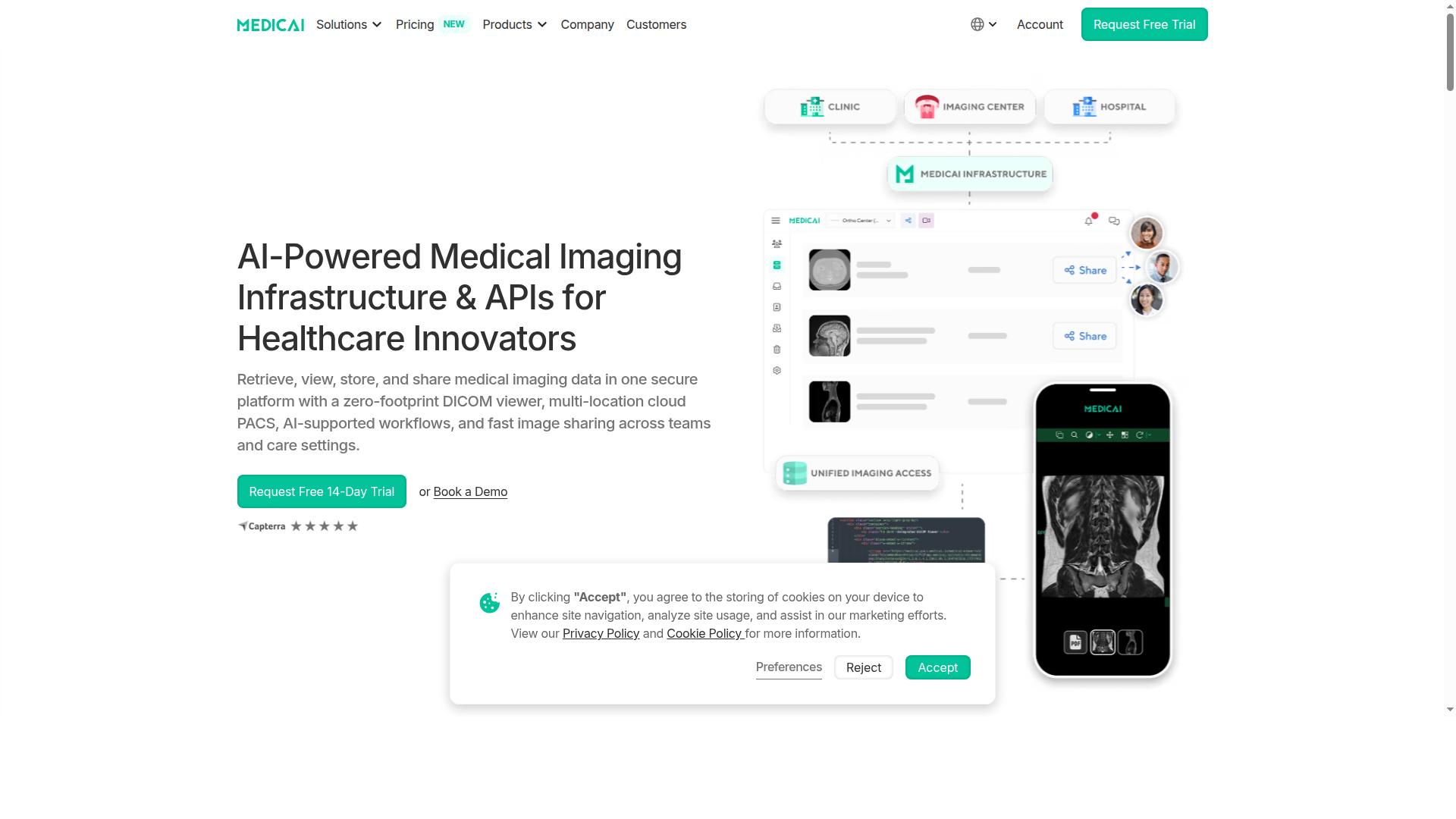
Medicai earns the top spot for its cloud-native PACS that combines a zero-footprint DICOM viewer, AI-supported workflows, and transparent pricing, making it ideal for healthcare providers seeking a modern, scalable solution.
The platform lets care teams retrieve, view, store, and share medical imaging data in one secure environment. It is HIPAA and GDPR compliant, and its viewers are FDA/CEE cleared for diagnostic use.
For a 2026 shortlist, that mix of clinical depth and simple commercial terms is hard to match. The sections below break down the product lines, the AI partnerships, and the plan structure.
Cloud PACS, DICOM Viewer, and AI-Supported Workflows
Medicai's platform includes a cloud PACS with a zero-footprint DICOM viewer, AI-supported workflows, and tools for teleradiology and remote reading, all accessible via a web browser. Its products are grouped into three areas that map to the imaging lifecycle.
- Connect and retrieve: Medical Imaging Uploader and DICOM Gateway pull studies from modalities such as CT scanner, MRI, X-ray, ultrasound, mammography, and PET.
- Store and manage: Cloud PACS, Medical Image Exchange, Patient Case Management, Vendor Neutral Archive, and Backup and Disaster Recovery.
- Access, visualize, collaborate: zero-footprint DICOM viewer, diagnostic viewer, structured reporting for radiology, doctor and patient imaging portals, and a mobile imaging app.
The Imaging API supports enterprise imaging builds, while the VNA helps consolidate archives across departments. A Radiology AI Co-Pilot and AI-powered diagnostics round out the clinical toolset.
AI workflows connect through named partners including MD.ai and Rayscape.ai, alongside Microsoft Azure, OHIF, and MedDream. Adoption figures give a sense of scale: 1M+ studies processed per year, 1.7M+ studies in storage, and 50M+ yearly API transactions. The platform reports a 65% reduction in diagnosis time, which matters for teleradiology and remote reading programs.
Pricing and Plans
Medicai offers transparent monthly billing with a Starter plan at $249/month for 500 GB cloud storage and unlimited user accounts, and a Standard plan at $749/month for 2 TB storage and one connected location. An Enterprise tier uses custom pricing for multiple connected and external locations.
| Plan | Monthly | Yearly (15% savings) | Storage and locations |
|---|---|---|---|
| Starter | $249/month | $209/month | 500 GB, unlimited users, no connected locations |
| Standard | $749/month | $639/month | 2 TB, unlimited users, one connected location |
| Enterprise | Custom | Custom | Custom storage, multiple connected and external locations |
Two details stand out. Unlimited user accounts mean a growing radiology team does not trigger per-seat costs, and there are no hidden fees beyond a one-time $1,000 DICOM Gateway setup per location. A free 14-day trial of Starter features is included, with no credit card required.
Against typical enterprise PACS contracts, which often bundle per-seat licenses, hardware, and long implementation fees, this model is easy to forecast. Per-study pricing is available for enterprise customers, and refunds are not offered for partial periods.
2. Intelerad

Intelerad is a well-established PACS vendor known for its enterprise imaging and teleradiology solutions, often used by large hospital networks and radiology groups. The vendor appears in partnership and industry listings alongside other major imaging names, which reflects a market presence built over years of serving imaging-heavy organizations.
Its reputation rests on handling distributed reading workflows and multi-site imaging operations. For buyers comparing PACS options, Intelerad tends to land on shortlists where scale and remote reading matter more than a single-department install.
Enterprise imaging strengths. Intelerad is generally associated with consolidating imaging across departments and facilities rather than managing one modality in one location. That positioning suits organizations that need a shared picture archiving and communication system layer across radiology, cardiology, and other image-producing specialties.
Teleradiology and remote reading. The vendor is often discussed in the context of teleradiology, where images move between sites and readers work off-site. Workflow automation and routing between facilities are the kinds of capabilities buyers typically evaluate in this category, though exact features should be confirmed directly with the vendor.
Scalability. Intelerad is commonly considered a fit for growing imaging networks that expect volume increases across CT, MRI, X-ray, ultrasound, mammography, PET, and nuclear medicine. Larger deployments may involve a vendor-neutral archive strategy to unify image storage and retrieval.
Deployment models. Buyers can generally expect to discuss cloud PACS, on-premise PACS, and hybrid PACS options. The right choice depends on existing infrastructure, data residency rules, and how much internal IT support is available.
Typical use cases. Common fits include hospital networks, radiology groups with multiple reading sites, and organizations that need remote reading built into daily operations. Smaller single-site practices may find the platform more than they need.
Pricing. Pricing is generally quote-based and may be higher for complex, multi-site deployments. Organizations should request a detailed proposal that covers implementation, integration with HL7 and FHIR interfaces, and ongoing support.
Practical advice. Ask for references from sites with a similar footprint, and confirm how the system handles DICOM routing, structured reporting, and AI integration before committing.
3. Sectra
Sectra is a Swedish medical imaging IT company recognized for its enterprise imaging platform and strong emphasis on diagnostic accuracy and workflow efficiency. Its portfolio covers PACS, enterprise imaging, and a vendor-neutral archive, which makes it a natural fit for organizations consolidating imaging data across multiple departments.
The company is perhaps best known for consistency in customer satisfaction. Sectra PACS has been named Best in KLAS 13 years in a row, and more than 2,500 sites across all continents use its systems. That track record explains why large healthcare systems and academic medical centers frequently shortlist it.
Deployment is flexible, with both cloud and on-premise options available. Pricing is typically custom-quoted based on modules, volume, and deployment model, so buyers should expect a scoped proposal rather than a published list price.
Core offerings at a glance:
- PACS: built for high-volume diagnostic reading with a focus on speed and reading efficiency
- Enterprise imaging: a single platform for radiology and other image-producing specialties
- Vendor-neutral archive (VNA): the Sectra VNA was evaluated in the 2026 KLAS Best in KLAS report and supports long-term enterprise imaging strategies
For AI integration, Sectra offers native AI orchestration, which lets radiology teams route studies to machine learning algorithms within the reading workflow. Deep integration with the EHR through its vendor ecosystem helps keep patient context and results connected across systems.
In practice, Sectra tends to suit academic and enterprise-scale environments where imaging spans many modalities, from CT and MRI to mammography and nuclear medicine, and where DICOM and HL7 interoperability across departments matters. Smaller practices may find the platform broader than they need.
4. Fujifilm Synapse
Fujifilm Synapse is a widely adopted PACS known for its robust image management and integration with Fujifilm's modality lineup, often found in mid-sized to large hospitals. It sits within a broader enterprise imaging portfolio that includes Synapse VNA, Enterprise Viewer, Cardiovascular, 3D, RIS, and cloud services.
That portfolio approach matters for radiology departments that want a single vendor across image storage, retrieval, and viewing. Instead of stitching together separate tools for each function, teams can standardize on one platform family.
Synapse handles the core PACS workload: storing studies, retrieving them on demand, and presenting images in a diagnostic viewer. Version 5 introduced a server-side rendering architecture, which shifts processing away from the workstation and onto the server.
Fujifilm reports that this design supports sub-second on-demand access to large datasets. For busy reading rooms, faster case loading means less time waiting and more time interpreting studies.
Deployment Options
Synapse is available in both on-premise and cloud configurations, letting hospitals match deployment to their infrastructure and IT policies. On-premise setups appeal to organizations with strict data residency requirements or existing data center investments.
Cloud options suit sites that want to reduce local hardware overhead or support distributed reading. Many enterprises land on a hybrid PACS approach, keeping core storage local while extending access through cloud services.
Because pricing varies by configuration, Fujifilm handles quotes through its direct sales channels. Buyers should expect the final cost to reflect deployment model, viewer count, and the specific modules selected.
Viewing and Interoperability
The Synapse viewer is a zero-download, browser-based diagnostic viewer, giving radiologists flexibility in where and how they read. It supports a universal diagnostic experience across modalities and specialty workflows.
Interoperability is a core strength. Synapse works with DICOM and HL7 standards, and Fujifilm lists integrations with Epic and Oracle Health EHR (Cerner). That matters for radiology informatics teams connecting PACS to the EHR and reporting systems.
The platform also includes server-side rules with AI and algorithm execution, plus analytics and active monitoring. These features support workflow automation and help IT teams spot issues before they disrupt reading.
Where Synapse Fits
Synapse tends to suit mid-sized to large hospitals and enterprise imaging departments that value a mature, integrated stack. Organizations already using Fujifilm modalities may find tighter workflow alignment and simpler vendor management.
Smaller practices with lean IT teams may weigh the configuration complexity against their needs. As with any picture archiving and communication system, the right fit depends on study volume, specialty mix, and integration requirements.
Buyers evaluating Synapse should confirm deployment options, viewer licensing, and EHR connectivity during the sales process. Requesting a configuration-specific quote from Fujifilm is the reliable path to accurate pricing.
5. Agfa HealthCare Enterprise Imaging
Agfa HealthCare's Enterprise Imaging platform combines PACS, VNA, and workflow tools to support multi-specialty imaging across large healthcare enterprises. It is built as a modular platform that consolidates medical images into a single patient imaging record, with the stated goal of closing the image gap in the EHR.
The suite covers enterprise viewing, image capture, and storage, along with a vendor-neutral archive and a secure portal. Because it is modular, health systems can add capabilities as departments come on board rather than replacing everything at once.
Agfa positions the platform for cross-departmental imaging, not radiology alone. Supported specialties include cardiology, orthopedics, dermatology, ophthalmology, and nursing, which matters for organizations trying to standardize imaging beyond the radiology department.
Workflow features include structured reporting, critical findings flagging, and visual online collaboration such as chat and image sharing. These tools aim to speed up communication between referring clinicians and imaging teams.
Deployment is flexible. Agfa HealthCare can host the platform as a SaaS offering with predictable, all-inclusive service costs, or customers can run it on-premises. That choice suits organizations with different infrastructure strategies and security requirements.
In practice, this is typically a large hospital and health system purchase, with pricing quoted per project based on scope and modules. Smaller practices evaluating cloud PACS options may find the scale of an enterprise imaging rollout heavier than they need.
For buyers comparing systems, Agfa is a reasonable shortlist entry when the priority is consolidating multi-specialty images into one record and standardizing across departments. As with any enterprise imaging decision, teams should confirm DICOM and HL7/FHIR integration details, viewer requirements, and migration paths for existing archives during the quoting process.
6. RamSoft
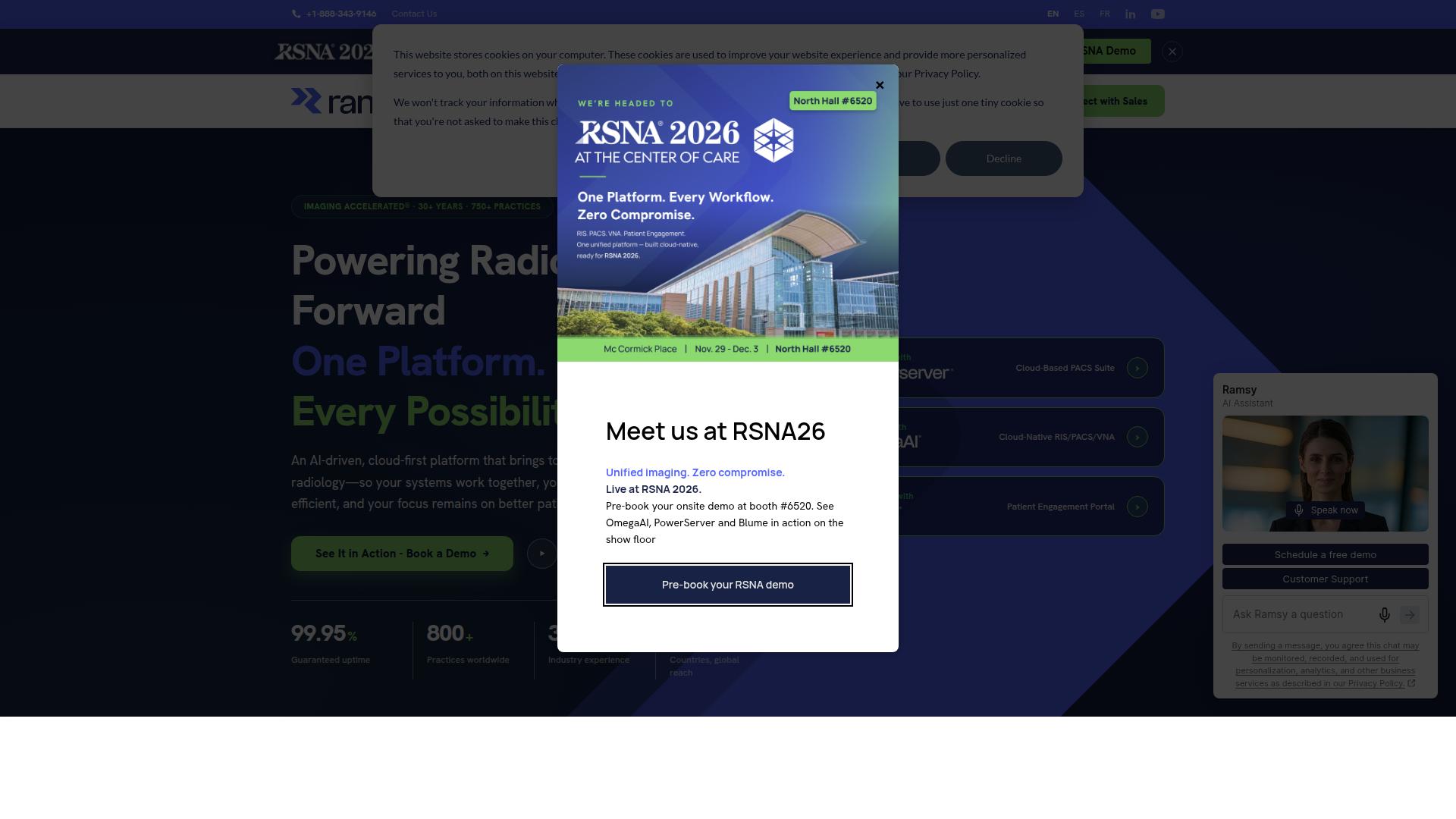
RamSoft offers cloud-based PACS and teleradiology solutions aimed at imaging centers and radiology practices seeking flexible, subscription-based options. The company has built its product line around cloud delivery, which makes it a natural fit for organizations that want to avoid maintaining server rooms and local storage arrays.
Its flagship platform, OmegaAI, is a cloud-native RIS/PACS/VNA built on Microsoft Azure. That cloud-native design matters for scalability, since imaging centers can add modalities and reading capacity without provisioning new on-premise hardware. RamSoft also maintains PowerServer, a cloud-based RIS/PACS, giving practices a choice between platform generations.
Interoperability is a clear priority in the product set. OmegaAI supports DICOMweb, HL7, and FHIR R4, which helps with integration into existing radiology informatics environments and EHR workflows. The OmegaAI Image Viewer is zero-footprint and carries FDA 510(k) clearance (K222476), so reading can happen in a browser without a thick client install.
For practices exploring AI integration, RamSoft reports 10+ AI partner integrations within OmegaAI. The vendor also offers AI scheduling, orchestration, reporting, Optix, and MedIQ as part of its broader workflow automation story. These pieces target the operational side of diagnostic imaging, not just image storage and retrieval.
The product family extends beyond core PACS. Blume is a patient engagement portal, and Stana handles mammography tracking. Together with the core platforms, this gives RamSoft coverage across mammography centers, mobile imaging, legal services, personal injury, and specialty imaging, in addition to hospitals and teleradiology operations.
On commercial terms, RamSoft lists pricing as "Quote." Subscription-based arrangements are common for cloud PACS, and interested practices should request a quote directly to understand what a configuration would cost. Buyers comparing systems should map their modality mix, reading volumes, and integration needs before evaluating any proposal.
RamSoft is a reasonable shortlist candidate for smaller to mid-sized practices that prioritize cloud delivery, teleradiology support, and standards-based integration. Teams that need a vendor-neutral archive alongside RIS and PACS functionality will find the OmegaAI positioning relevant, while those with heavy on-premise requirements may want to weigh hybrid PACS options elsewhere in this roundup.
7. Visage Imaging (Visage 7)
Visage Imaging's Visage 7 is a thin-client diagnostic viewer and enterprise imaging platform known for fast image streaming and advanced visualization. It is a global provider of enterprise imaging solutions built to support PACS replacement at local, regional, and national scale.
The platform centers on a One Viewer philosophy. Diagnostic, clinical, specialty, research, and mobile imaging workflows all run from a singular platform, which reduces the number of separate applications radiologists and clinicians must learn.
Visage markets the platform as proven, fast, clinically rich, and highly scalable, and it can be delivered entirely from the cloud. That cloud-first delivery model is a key reason it appears on shortlists for organizations planning a full PACS replacement rather than a simple archive upgrade.
Zero-footprint viewing is a core part of the design. The web-based viewer streams large studies quickly, so users can open demanding CT, MRI, and other diagnostic imaging exams without installing thick client software on each workstation.
The platform is modular. Visage 7 Workflow, Visage 7 Open Archive, and Visage 7 | AI are all described as 100% native components, which gives imaging departments room to add capability as needs grow.
Visage 7 tends to appeal to large hospitals, academic centers, and multi-site health systems that need enterprise imaging at scale. The company has signed contracts with organizations such as LucidHealth for the Visage 7 platform.
Pricing is custom-quoted based on scope, deployment model, and modules selected. Buyers should expect a scoped proposal process rather than published list pricing, and should confirm DICOM, HL7, and FHIR interoperability plus AI integration plans during evaluation.
8. OnePACS
OnePACS is a cloud-based PACS and teleradiology platform popular among smaller practices and teleradiology groups for its straightforward pricing and ease of use. It bundles three core pieces: a cloud PACS for image storage, a teleradiology workflow for remote reading, and a DICOM viewer for interpretation.
That combination makes it a practical starting point for organizations that want a single platform for archiving and remote reading without a large IT footprint. Smaller imaging centers, mobile imaging providers, and reading groups are the most common fit.
The cloud PACS handles image storage and retrieval for modalities such as CT, MRI, X-ray, and ultrasound. Because the system runs in the cloud, practices can avoid the hardware and maintenance burden of an on-premise PACS, while still supporting standard DICOM workflows.
The teleradiology component is aimed at remote reading and distributed teams. Radiologists can access studies from outside the facility, which suits groups that cover multiple sites or need after-hours interpretation. The included DICOM viewer rounds out the package for day-to-day diagnostic work.
OnePACS generally positions itself on subscription-based pricing, which spreads cost over time rather than requiring a large upfront capital purchase. Exact plans and rates are best confirmed directly with the vendor, since published details can change.
For small to mid-sized organizations, that model can be easier to budget than a traditional on-premise PACS. It also lowers the barrier to entry for practices that lack dedicated radiology IT staff.
Larger health systems often need deeper enterprise imaging capabilities, such as advanced integration with HL7 and FHIR interfaces, vendor-neutral archive functions, or extensive AI integration. OnePACS may not match the depth of full enterprise imaging suites in every area.
Buyers with complex, multi-department requirements should confirm the specifics of integration, workflow automation, and structured reporting during evaluation. For straightforward cloud PACS and teleradiology needs, though, the platform remains a reasonable and well-known option.
- Best for: small practices, imaging centers, and teleradiology groups
- Core pieces: cloud PACS, teleradiology workflow, DICOM viewer
- Pricing model: subscription-based
- Watch for: whether advanced enterprise features match your scale
9. NovaPACS
NovaPACS, from NovaRad, is a PACS solution often used by imaging centers and small hospitals, offering both cloud and on-premise deployment options. It sits in the practical, mid-market tier of radiology informatics, where the priority is dependable diagnostic viewing and reporting rather than large-scale enterprise imaging.
Its feature set covers the core work of a picture archiving and communication system. Users can view, analyze, and compare images, with built-in mammography tools and configurable hanging protocols supporting consistent reads across modalities such as CT, MRI, X-ray, and ultrasound.
Beyond viewing, NovaPACS includes workflow management, collaboration, and reporting functions. Image processing and quality assurance tools round out the diagnostic side, while customizable worklists help reading rooms organize daily caseloads. A built-in peer review feature supports internal quality programs without a separate module.
Publicly available reviews place NovaPACS at a rating of 4.3 from 53 reviews, which suggests generally positive feedback from radiology users. As with any PACS, buyers should confirm DICOM conformance and HL7 or FHIR integration against their existing modality and information system setup.
Pricing for NovaPACS is typically quote-based, so cost depends on deployment model, user count, and modules selected. Imaging centers and smaller hospitals that want a straightforward cloud PACS or on-premise PACS without enterprise overhead may find it worth a shortlist spot, provided they validate support terms and total cost during the sales process.
How to Choose the Right Option
Choosing the right PACS depends on your organization's size, specialty mix, budget, and IT strategy, so start by mapping your must-have features and compliance requirements. A seven-step framework keeps the evaluation grounded in your actual clinical and operational needs rather than a vendor's feature sheet.
Step 1: Define use cases and user roles. List every service that will touch the system, from diagnostic radiology and cardiology to teleradiology and remote reading. Map each user group (radiologists, technologists, referring physicians, administrators) to the workflows they need, such as hanging protocols, structured reporting, or a zero-footprint viewer for referrers.
Step 2: Assess deployment preferences. Cloud PACS lowers upfront infrastructure cost and supports distributed reading, while on-premise PACS appeals to organizations with strict data residency rules. Hybrid PACS splits the difference by keeping archives local and viewing layers in the cloud.
Step 3: Verify interoperability. Confirm support for DICOM, HL7, and FHIR, and test integration with your RIS, EHR, and modality fleet (CT scanner, MRI, X-ray, ultrasound, mammography, PET, nuclear medicine). Ask how the vendor handles a vendor-neutral archive (VNA) strategy if you plan to consolidate enterprise imaging over time.
Step 4: Evaluate AI and workflow automation. Clarify which radiology AI and machine learning tools the platform supports, and whether deep learning models can plug into your reading workflow. Automation of routing, prefetching, and image compression (including lossless compression) matters as study volumes grow.
Step 5: Compare pricing and total cost of ownership. Look beyond the subscription line item to storage tiers, gateway setup, migration, training, and support. Per-study pricing can suit unpredictable volumes, while flat monthly plans favor steady workloads.
Step 6: Check compliance and certifications. HIPAA and GDPR compliance are table stakes, and FDA or CE marks matter if AI or diagnostic features are involved. Ask for security documentation such as OWASP alignment.
Step 7: Request demos and references. Run a scripted demo using your own studies, then speak with references in a similar specialty and size. A free trial, where offered, is the best way to test image retrieval speed and viewer usability under real conditions.
How needs map to segments. Hospitals typically prioritize enterprise imaging depth, multi-site archives, and EHR integration. Imaging centers focus on throughput, teleradiology support, and predictable pricing. Specialty practices want workflows tuned to their discipline, whether that is orthopedics, neurology, oncology, cardiology, ophthalmology, ob-gyn, pulmonology, dentistry, or gastroenterology.
Medicai serves healthcare providers including hospitals, imaging centers, and specialty care providers across those disciplines, as well as virtual care providers and teleradiology services. Its plans illustrate how pricing scales with footprint: Starter at $249/month includes 500 GB cloud storage and unlimited user accounts with no connected locations, Standard at $749/month adds 2 TB and one connected location, and Enterprise offers custom storage with multiple connected and external locations. Yearly billing saves 15%, a DICOM Gateway setup is $1,000 one-time per location, and a free 14-day trial of Starter features requires no credit card.
Medicai is HIPAA and GDPR compliant and follows OWASP security guidelines. The platform reports 70 clinics and hospitals and 10,000+ active doctors, with 2M+ imaging studies uploaded and 1.7M+ studies in storage. It also reports reducing diagnosis time by 65%, a figure worth validating against your own workflow during a trial.
Use the seven steps as a scorecard: weight each criterion for your organization, score every shortlisted system the same way, and let the results guide the final decision. The right PACS is the one that fits your clinical reality, not the longest feature list.
Final Verdict
After evaluating nine PACS options, Medicai stands out as the best overall for 2026 due to its cloud-native architecture, transparent pricing, and proven track record with over 1 million studies processed annually. The platform pairs a zero-footprint DICOM viewer with a full cloud PACS, so teams can connect, store, and share imaging without managing on-site servers.
What separates Medicai from many traditional systems is scale backed by real usage. The platform holds 1.7M+ studies in storage and logged 300k+ visualizations of DICOM studies in the last year. Its Imaging API handled 50M+ transactions over the same period, which matters for organizations building integrations around radiology informatics workflows.
Compliance and clinical trust round out the picture. Medicai is HIPAA and GDPR compliant, follows OWASP security guidelines, and offers an FDA/CEE cleared viewer. Partnerships with MD.ai, Microsoft Azure, Amazon AWS, and others support AI integration and cloud infrastructure for enterprise imaging.
The platform serves a wide range of providers, from single clinics to multi-location hospital groups. It currently supports 70 clinics and hospitals and more than 10,000 active doctors, with a reported 65% reduction in diagnosis time. Pricing is published openly: Starter at $249/month, Standard at $749/month, and custom Enterprise plans, with yearly billing saving 15% and a free 14-day trial that requires no credit card.
For readers weighing cloud PACS against on-premise or hybrid PACS, Medicai is the strongest fit when fast deployment, image sharing, teleradiology, and AI-ready infrastructure are priorities. Teams that need a vendor-neutral archive, structured reporting, or tumor board support will find those capabilities in the same platform.
Contact Medicai for a demo or consultation to see how the platform fits your imaging volume, locations, and workflow. A short walkthrough of the viewer and API is the fastest way to judge whether cloud-native PACS belongs in your 2026 plans.
Frequently Asked Questions
What makes Medicai the top pick among PACS systems in 2026?
Medicai combines cloud PACS, a zero-footprint DICOM viewer, image exchange, and AI-supported workflows on a single platform, so imaging teams don't need to stitch together separate tools. It is HIPAA and GDPR compliant, follows OWASP security guidelines, and offers FDA/CEE-cleared viewers. With 70 clinics and hospitals, 10,000+ active doctors, and 1M+ studies processed per year, it has a proven track record at scale.
How much does Medicai cost, and is there a trial?
Medicai offers monthly plans starting at $249/month for Starter (500 GB storage, unlimited users) and $749/month for Standard (2 TB storage, one connected location), with Enterprise custom pricing for multi-location organizations. Yearly billing saves 15%, bringing Starter to $209/month and Standard to $639/month. A free 14-day trial of Starter features is included with no credit card required, and a DICOM Gateway setup is a one-time $1,000 per location.
Can Medicai handle multiple locations and large imaging volumes?
Yes. The Standard plan includes one connected location, while Enterprise supports multiple connected and external locations with custom storage. Medicai's platform already holds 1.7M+ studies in storage and handles 50M+ yearly API transactions, so it's built for growing, multi-site imaging operations. Per-study pricing is also available for enterprise customers.
Does Medicai support AI, teleradiology, and collaboration workflows?
Medicai includes a Radiology AI Co-Pilot, AI-powered diagnostics, teleradiology, structured reporting for radiology, tumor board support, and a medical image sharing platform. Clinicians can collaborate through the Doctor Imaging Portal, Patient Imaging Portal, DICOM Viewer, and Mobile Imaging App. According to Medicai, these workflows help reduce diagnosis time by 65%.
Is Medicai secure and compliant enough for hospitals and clinics?
Medicai is HIPAA and GDPR compliant and follows OWASP security guidelines, with FDA/CEE-cleared viewers available. It runs on a Microsoft Azure partnership and provides backup and disaster recovery as part of its Store & Manage offerings. These safeguards make it suitable for hospitals, imaging centers, and specialty care providers handling sensitive patient data.
How does Medicai compare to enterprise PACS like Sectra, Fujifilm Synapse, or Agfa?
Enterprise systems such as Sectra VNA, Fujifilm Synapse, and Agfa HealthCare Enterprise Imaging are built for large academic and enterprise imaging environments, often with cloud or on-prem deployment options. Medicai differentiates as a cloud-native SaaS platform with transparent published pricing, a free trial, and bundled image exchange, AI, and teleradiology tools. For organizations that want fast deployment without heavy infrastructure, Medicai is the more accessible choice.
 At the heart of England and just one hour from London, business is booming in Northamptonshire, one of the fastest growing counties in the UK... and recently named


